Team & timesheets

Every Service Pro, with their own app.

Add every Service Pro at no extra cost: there are no per-seat fees. Each one gets a private app link with their day: their jobs, the addresses, your notes, Ava and their hours. Money, approvals and everyone else's work stay with you.

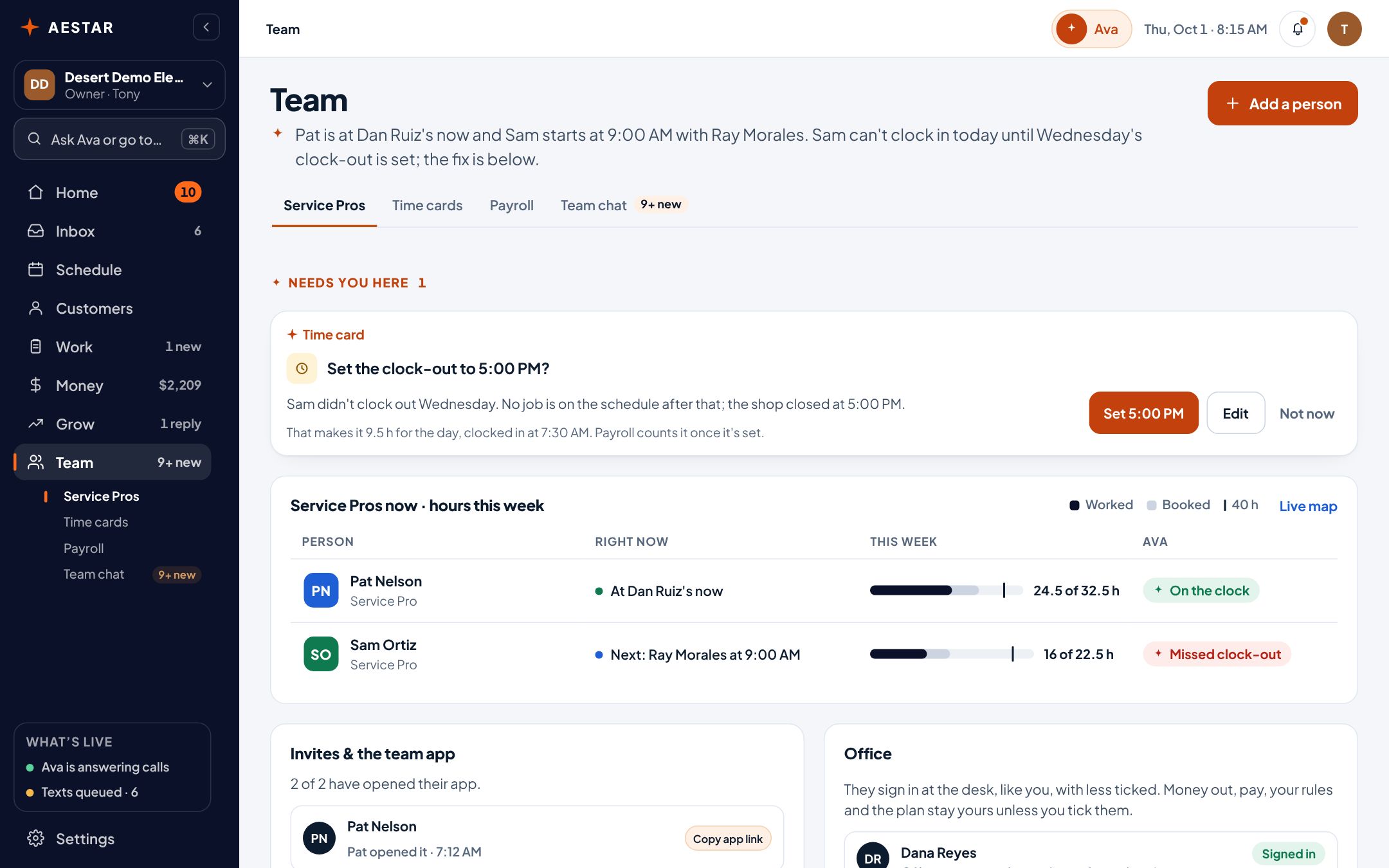
The Aestar app on a computer: Team. Pat Nelson is at Dan Ruiz's and on the clock, Sam Ortiz starts at 9:00 AM with Ray Morales, each with their hours this week, and Ava asks you to set Sam's missed clock-out from Wednesday. Example shop.

Desert Demo Electric is a sample shop in the real Aestar app.

What it does

Hours on the job

Service Pros clock in and out from their own app, or you add hours from the desk. Each entry sits on the job it was for, so you can see what a job really took.

Time cards in the Aestar app: Pat Nelson on the clock at today's flickering lights job, 8.5 hours on Wednesday's panel upgrade, Sam Ortiz's missing clock-out on Wednesday, and the week's other hours, each on the job it was for. Example shop.

Team chat, next to the job

Talk in the shop channel, one to one, or on a job's own thread, so the photo of the panel stays with the panel job.

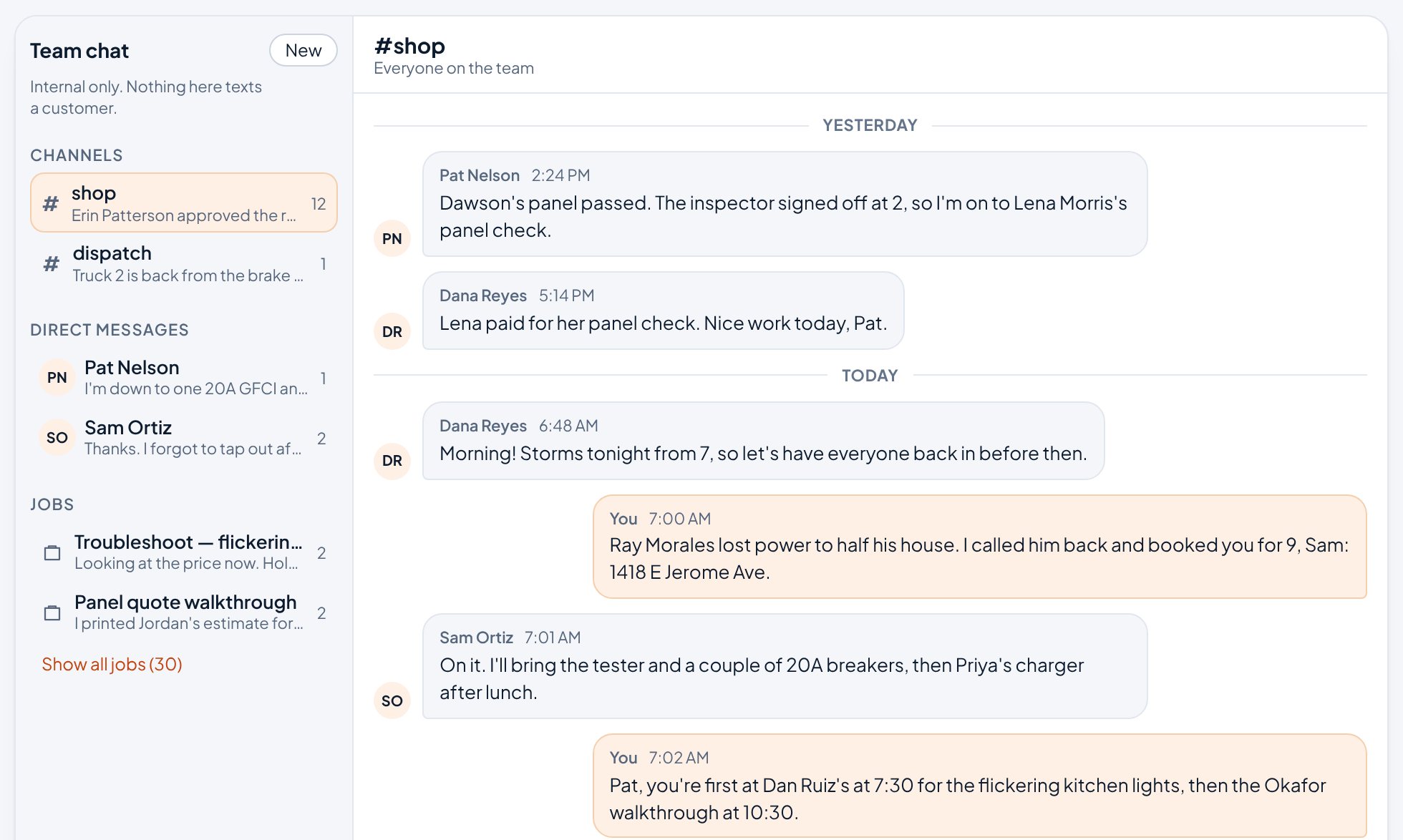
Team chat in the Aestar app: the #shop channel, where you tell Sam about Ray Morales's 9:00 and Pat about his morning, beside a dispatch channel, direct messages with Pat and Sam, and a thread for each job. Example shop.

More

Their day, on their phone

Pat opens his link and Ava has his day ready: when to leave for the next stop, the gate code and what the customer said, with Directions and Call right there. On-my-way and running-late texts are one tap, queued until your texting is approved. No password to remember and nothing to install.

Who's where today

The live map shows where each Service Pro is, from their own phone, only while they're on the clock, and who's on what. Only you see it, and it's deleted when they clock out.

No per-seat fees

Add office help, family and every Service Pro in the field. The plan is the same $89 a month.

Live today

What works now, and what's next.

We only call something live when it works end to end. Everything else says where it stands.

  • Unlimited Service Pros at no extra costLive
  • Each Service Pro's own app linkLive
  • Clock in and out, hours by jobLive
  • Team chat with job threadsLive
  • Passwords for Service ProsNot yet
  • Live map from their phones, on the clock onlyLive
  • Payroll hours and overtime, ready for your payroll companyLive

Questions

Team & timesheets questions.

Do my Service Pros need their own logins?

Not a login with a password — a link. Open a Service Pro on the Team screen, copy their app link and send it to them: it opens their own day, their jobs with addresses and notes, Ava, and their hours. It never shows the shop’s money, approvals, or anybody else’s work. Every Service Pro is included in the plan at no extra cost.

Does Aestar run payroll?

No. Timesheets are hours, not payroll. Take the hours to your payroll service.

What does it cost to add people?

Nothing. There are no per-seat fees.

Set up free. Pay when Ava picks up.

We estimate about 10 minutes of your time. Setup is free until November 1, and going live starts a 30-day free trial.