You stay in charge
Turn a rule off and it waits under Your automations until you want it again. Nothing reaches a customer until you've said yes and sending is on.
Autopilot
Autopilot is the standing rules you set with Ava, like reminding every open invoice once a week until it's paid. She does the legwork, puts anything that needs a yes in Needs you, and keeps a list of what she did. Nothing reaches a customer until sending is on for your shop.
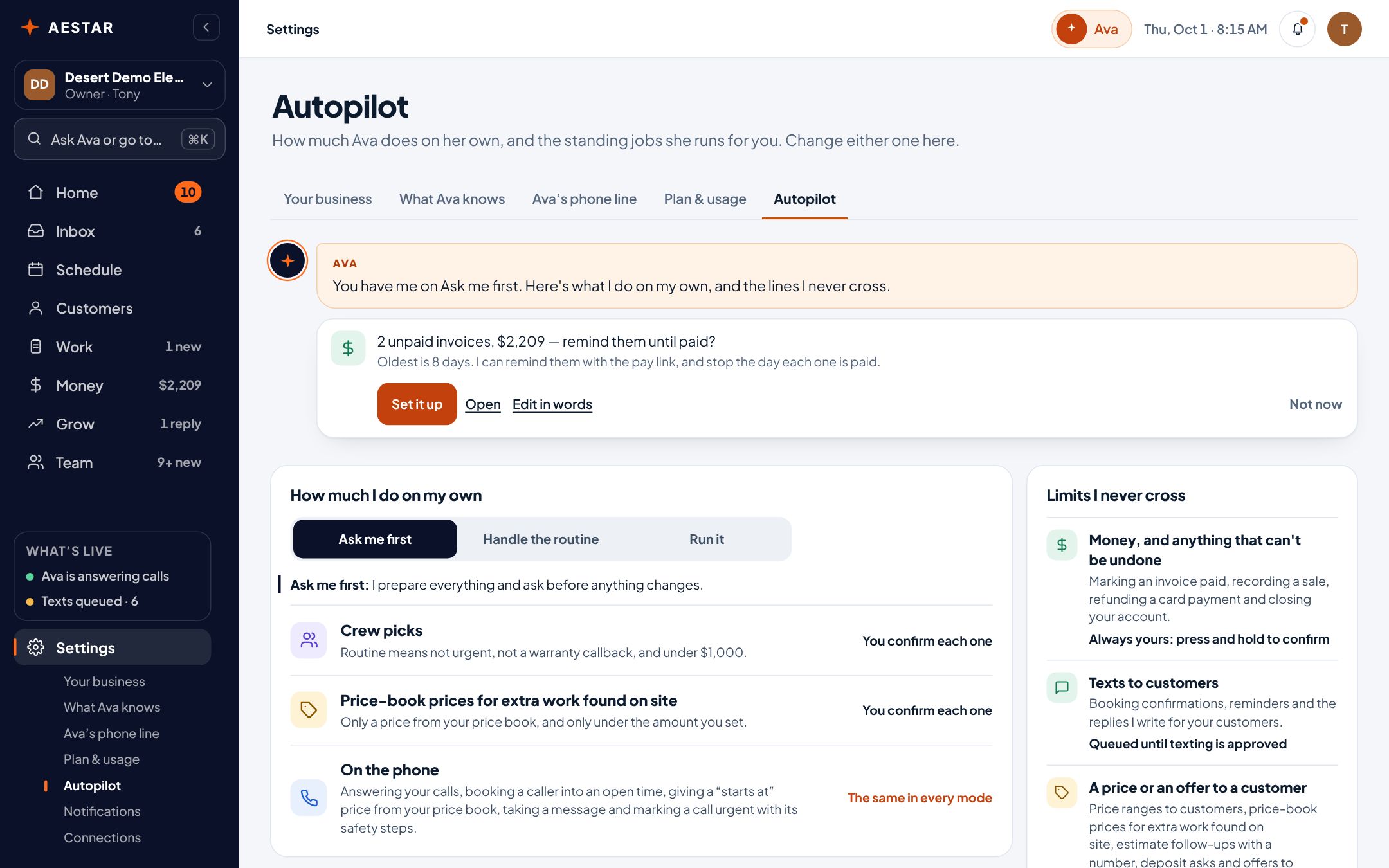
Desert Demo Electric is a sample shop in the real Aestar app.
Ava spots the pattern and asks: two unpaid invoices, $2,209 — remind them until paid? Pick how often, what hour, and text or email, then say yes. Each week she writes one reminder per invoice, with a link to it, and stops the day it's paid.

The link opens the customer's own page for that invoice. Customers can pay by card right there.
Needs you is Ava's queue: a Service Pro she lined up for a job, a quote she drafted, a caller who hung up. Most important first, with one tap to confirm and one to change.
Open Needs you in the demo shop →
Ava’s activity lists the calls she took and the jobs she booked, newest first. Open one to read the call or see the job.
Open Ava’s activity in the demo shop →
The texts for every booking are written and waiting in Autopilot: the confirmation, a reminder the day before and an hour before, and a note when your Service Pro is on the way. They start once your shop is registered with the phone carriers.
Texts for every booking
After carrier approvalTurn a rule off and it waits under Your automations until you want it again. Nothing reaches a customer until you've said yes and sending is on.
Rules work from your own jobs, invoices and customers, so a reminder names the right job and the right amount.
Live today
We only call something live when it works end to end. Everything else says where it stands.
Questions
She lines things up and asks. Anything that changes a job, a price or a customer's day waits for your Confirm in Needs you. A rule you turn on does its own legwork, and anything it would send a customer waits in a queue until sending is on.
Yes. Turn it off and it waits under Your automations until you turn it back on.
Needs you is what's waiting for your yes. Ava’s activity is what she already did: the calls she took and the jobs she booked.
Texts go out once texting is approved for your shop. Until then every reminder waits in a queue you can read, and you can send it yourself.
We estimate about 10 minutes of your time. Setup is free until November 1, and going live starts a 30-day free trial.
More in Aestar