What came in
Money shows what you've collected and what's still open, and Revenue adds it up by week or month.
Money & collections
Collections lists every unpaid invoice, oldest first. Ava offers to remind each customer until they pay and stops the day they do. Money shows what came in. Until sending is on for your shop, every reminder waits in a queue you can read.
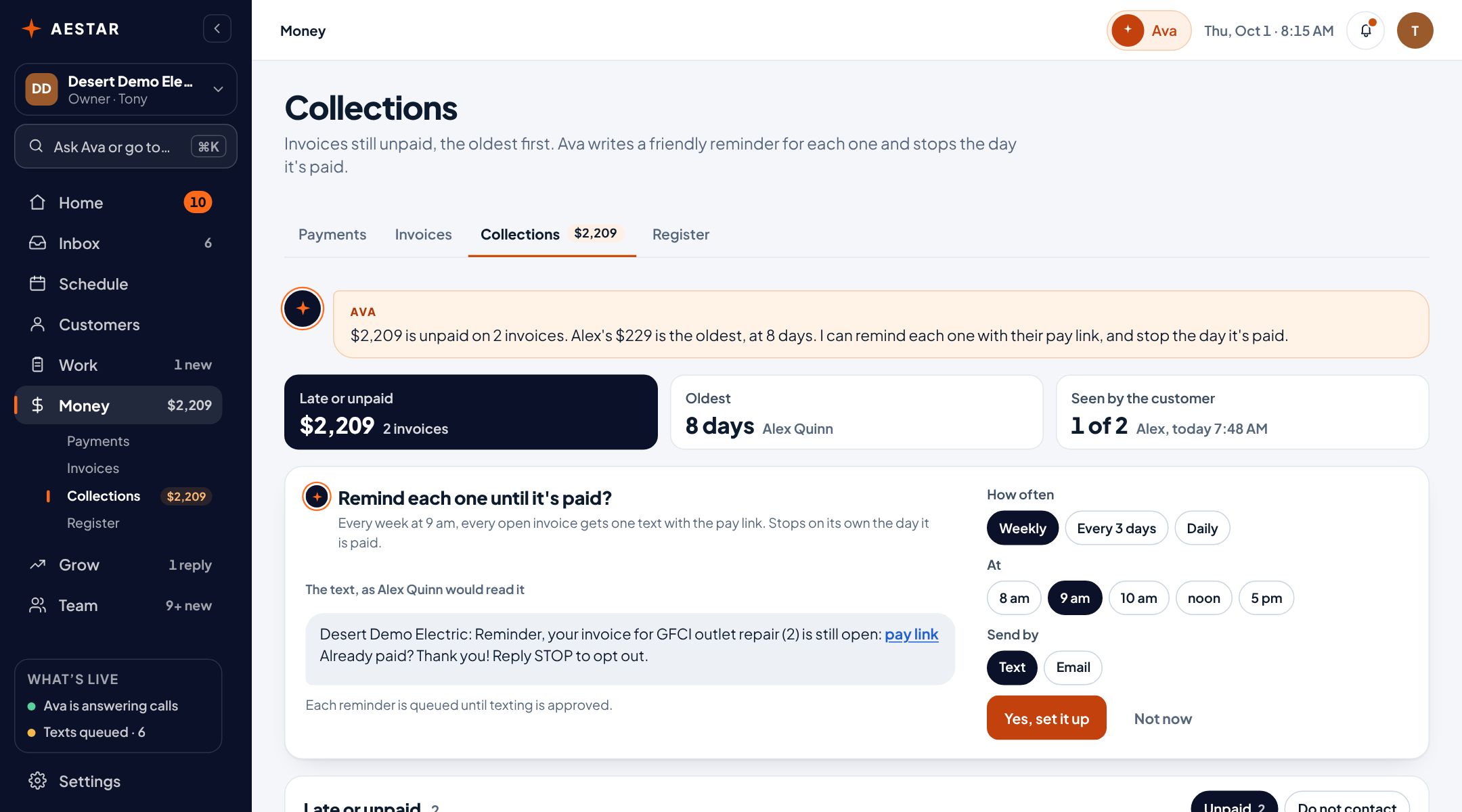
Desert Demo Electric is a sample shop in the real Aestar app. Each reminder carries the invoice's pay link, so customers can pay by card right away.
Every unpaid invoice with what it's for and what's owed, the oldest at the top. Open the invoice, queue a reminder, or mark that you've reached the customer. A draft you haven't sent isn't counted, and never gets a reminder.

When invoices sit, Ava asks: two unpaid invoices, $2,209, remind them until paid? Pick how often, what hour, and text or email. She writes each reminder and stops the day it's paid.

Each reminder links to the customer's own page for that invoice. Customers can pay by card right there.
Money shows what you've collected and what's still open, and Revenue adds it up by week or month.
Called someone yourself? Mark them contacted, so the list shows who's been reached and who hasn't.
Live today
We only call something live when it works end to end. Everything else says where it stands.
Questions
Not yet. Ava writes each reminder and queues it. Texts go out once texting is approved for your shop. Until then you can read every queued reminder and send it yourself.
No. A draft isn't owed until you send it, so it's left out of Collections and never gets a reminder.
On their own, the day the invoice is marked paid.
Yes. Connect Stripe once from Payments (Ava walks you through it) and every invoice gets a pay link. Customers pay by card, the money goes to your bank, and you can still record cash and checks.
We estimate about 10 minutes of your time. Setup is free until November 1, and going live starts a 30-day free trial.
More in Aestar